Program Overview
![]() |
Click for larger version |
Needles Today
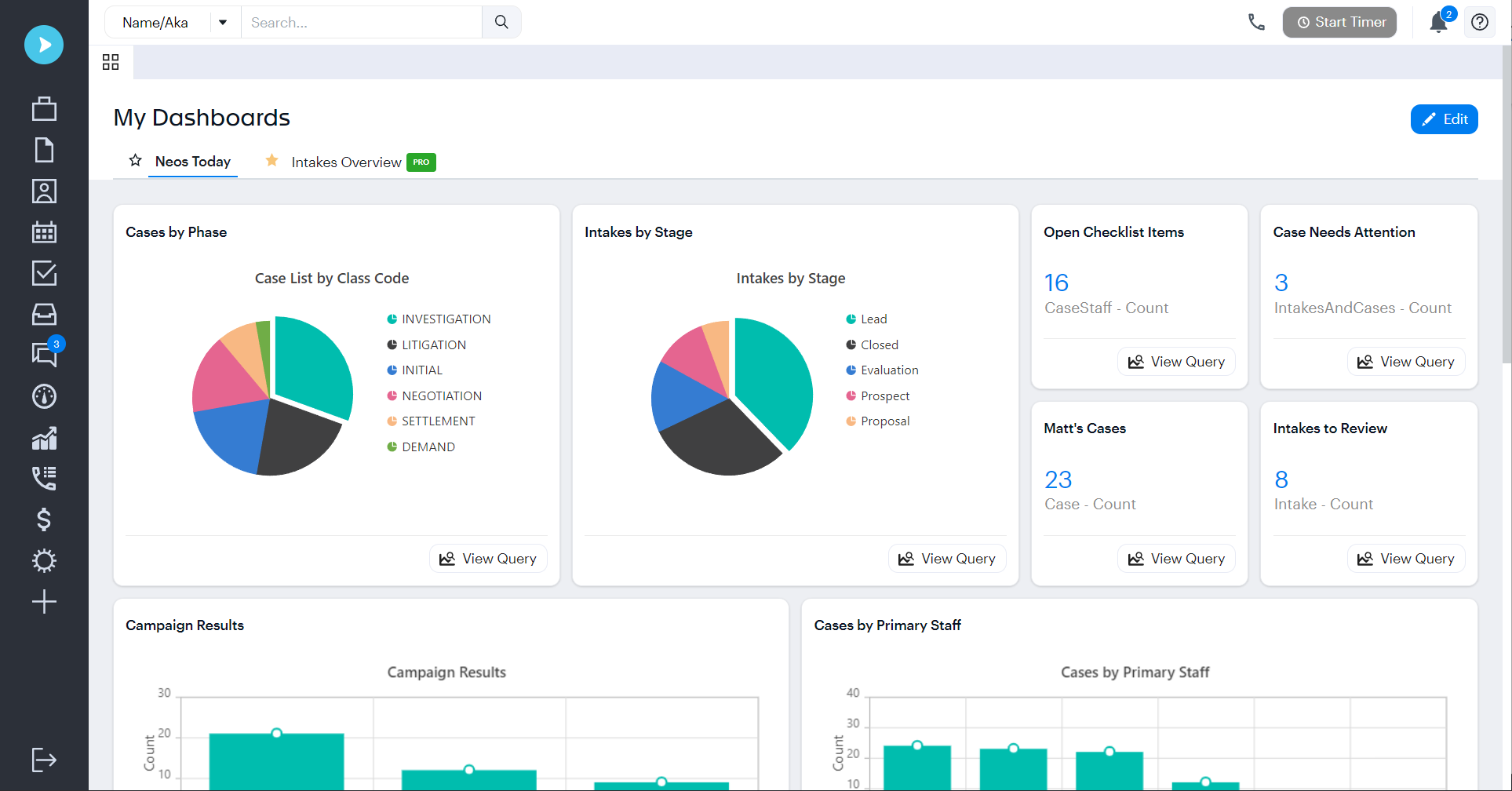
The first screen you see upon entering the Needles program shows your calendar items, email , internal messaging, intakes to review and daily checklist for that specific day.
Return to Menu
![]() |
Click for larger version |
Names
The Needles central names directory allows you to search 14 different ways in the database, conflict check, make changes , send E-mails and attach these entries to case files.
Return to Menu
Calendar
![]() |
Click for larger version |
Needles works with both an internal calendar or the Microsoft Outlook calendar. The internal calendaring system allows you to view daily, weekly and monthly appointments for individuals or all staff. Calendar reports can easily be run to reflect specific criteria and appointments can be set for multiple staff members.
Return to Menu
Email, Internal messaging, Internet
![]() |
Click for larger version |
Global customizable buttons are provided on the Needles toolbar to connect directly to Internet sites or other programs of your choosing.
Return to Menu
Case/Matter File
![]() |
Click for larger version |
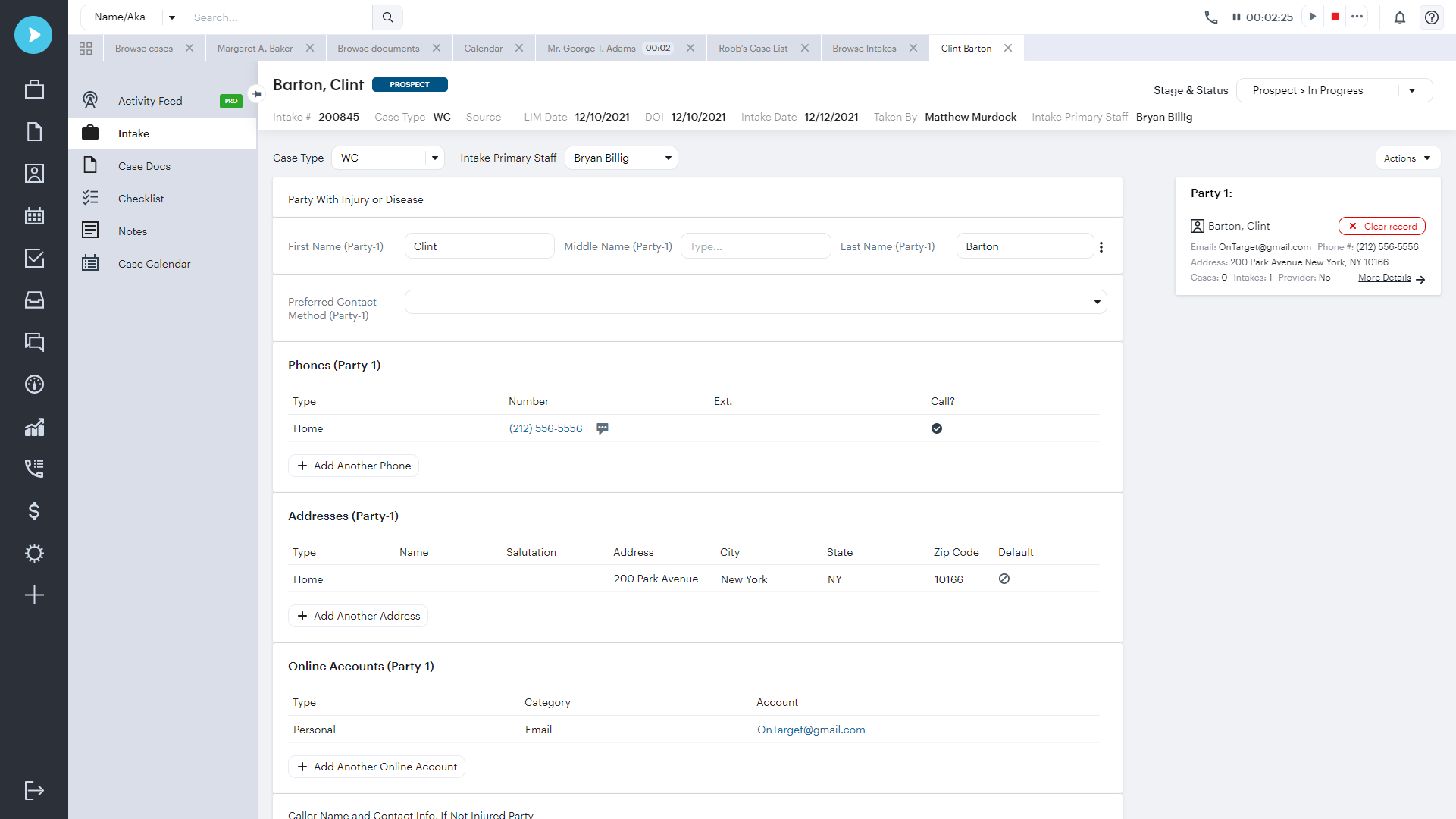
Needles allows you to customize an infinite number of case types with up to 10 customizable tabs and a limitless number of User-defined fields. The program provides pre-set tabs for basic matter information, such as party information, case information, checklist, notes and documents.
Return to Menu
Conflict Checking
![]() |
Click for larger version |
The program quickly and automatically conflict checks all names entered into the database with the entrance of a few letters into the search engine.
Return to Menu
Statute Tracking
Click for larger version |
Needles provides many report options to track individual or multiple statute dates. In addition, a customizable checklist offers the ability to set up as many warnings to track these statutes as you choose.
Return to Menu
Checklist (To-Do list)
![]() |
Click for larger version |
- Use your own codes and terminology
- Easily record completion of items
- Reassign tasks to accommodate absent employees
- Generate or change task due dates
- Create single or repeating items
- Track multiple statute of limitations dates or warnings
The checklist allows you to generate documents through Word, WordPerfect, or Adobe, as well as create additional, auxiliary checklists for pre-litigation, litigation, etc.
Return to Menu
Notes
![]() |
Click for larger version |
In the notes tab, each note is tracked by date, staff member and customizable topics. Notes can be run in list form and sorted by staff, date, time and topic. There is also a spell checker on the Needles toolbar for all text entered into the database.
Return to Menu
Document Management
![]() |
Click for larger version |
The Needles Documents Tab provides a link to any letter, pleading, photograph, diagram, scanned item or other document that needs to be viewed in the case file. You also have the ability to merge documents directly from the checklist or through reports and save them in the Documents tab.
Return to Menu
Case Status
![]() |
Click for larger version |
A customizable status tab provides a quick summary of the case's status, all on one screen. The contents of the status tab are defined by the user. Any available field chosen for the status tab automatically updates each time it is changed anywhere in the file.
Return to Menu
Value and Cost Tracking
![]() |
Click for larger version |
The Value Tab easily tracks costs and expenses related to a file. You also have the ability to track multiple payments, record notes and liens, request checks, run reports, and quickly subtotal file costs. Customizable settlement memorandums can be run as well.
Return to Menu
Litigation
![]() |
Click for larger version |
During the process of working a case in litigation, Needles excels in organizing, tracking, and maintaining all pertinent information as the case progresses. Specifically, our customizable case date labels automatically feed into the case checklist to track important dates and deadlines.
Return to Menu
Reporting Capabilities
![]() |
Click for larger version |
- Checklist summary reports
- Statute of limitations reports
- Provider history reports
- Mailing Label reports
- Marketing reports
- Referring reports
- Management reports
In addition to our standard reports, there is a user-defined report-writer within Needles. This enables the user to write a customized report based on virtually any field, standard or user-defined, that has been created within the database.
Customized reports are produced simply by choosing tables and links, then sorting the information the way you would like it to appear on the report.
Return to Menu
Marketing With Needles
![]() |
Click for larger version |
- Create customizable mailing lists for clients or providers
- Case listing reports
- Intake listing reports
- Intake note reports
- Referral tracking and reporting
- Mass Mailings
- Mass E-mails
Import/Export
![]() |
Click for larger version |
Needles' import/export feature revolutionizes your firm's abilities to refer cases. Import/export allows users to transfer cases, or intake, to another Needles firm.
Return to Menu
Unique Features
- Mass Updating Features
- Remote Access
- Track all Provider Information, including Documents, Notes, and Multiple Roles/Specialties.
- Create Primary/Associate Relationships for Providers (ie- one Primary Company, several Associate Employees, One Primary Agency, several Associate Adjusters)
- Scan Party and Provider Pictures directly to the Case File.